SC&T works closely with system integrators worldwide, and HDBaseT installation issues are among the most common support cases. Our FAE team has compiled this guide to help you quickly identify root causes and apply the right fix.
If you prefer a quick on-site reference before going through the full guide, a downloadable checklist is available below—simply complete a short questionnaire to access the file.
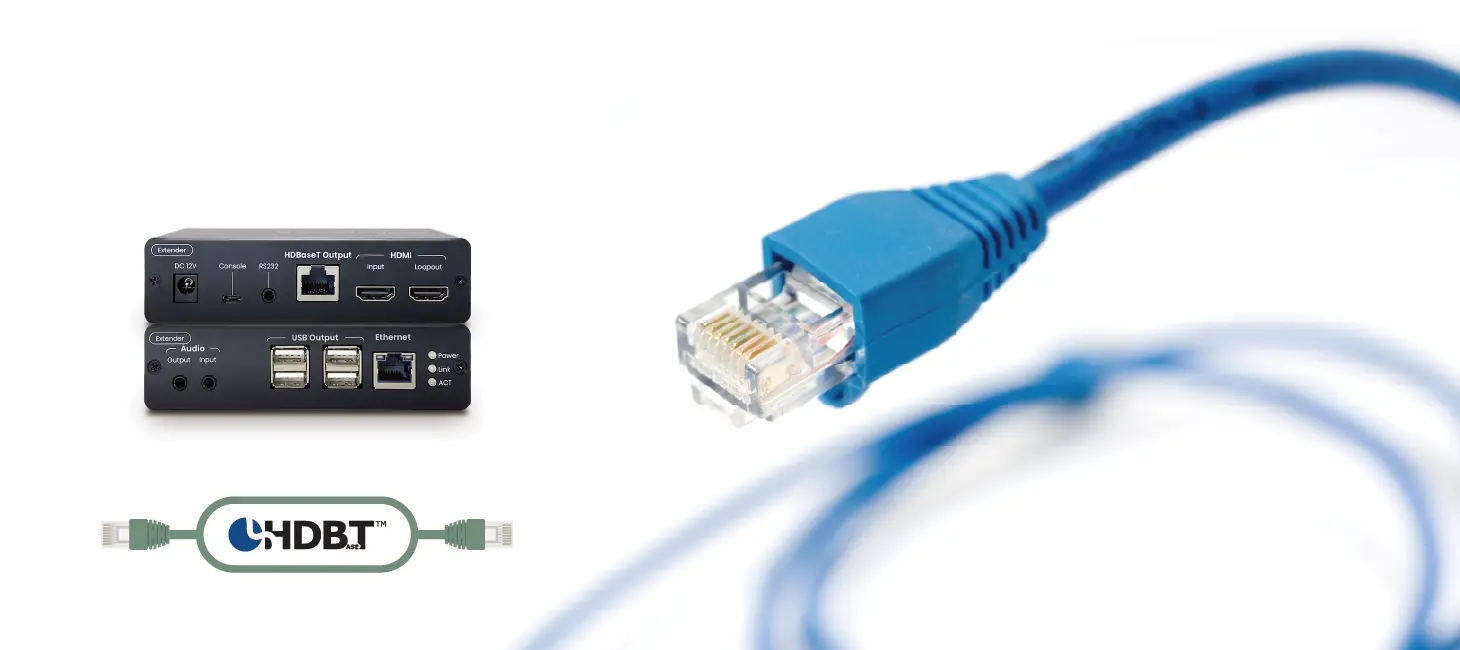
HDBaseT is a long-distance transmission technology that carries video, audio, controls, Ethernet, and power over a single CAT cable.
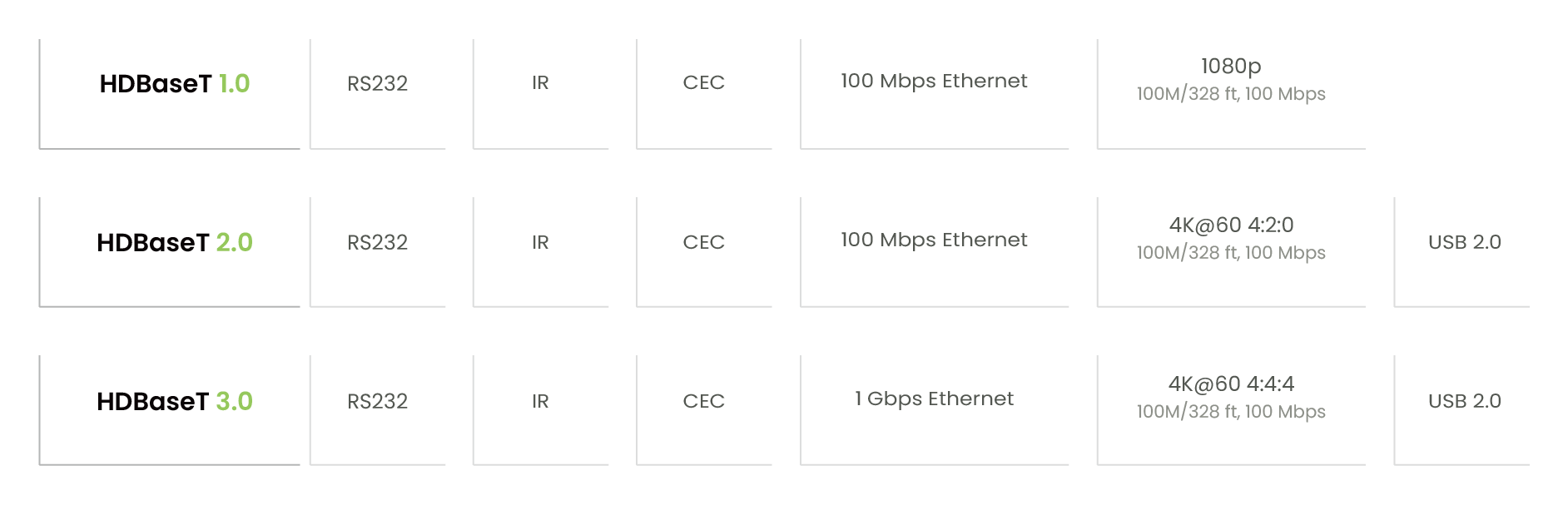
HDBaseT Versions
HDBaseT 1.0 (VS100): Supports digital video/audio, RS232, IR, CEC, and PoH. (VS010 models do not support Ethernet.)
HDBaseT 2.0 (VS2000): Adds USB 2.0 transmission.
HDBaseT 3.0 (VS3000): Adds 4K60 support and 1Gbps Ethernet.
Higher HDBaseT versions are backward compatible, meaning they support the shared features of earlier versions. However, lower-version devices cannot gain newer features introduced in later HDBaseT specifications.
Before deploying an HDBaseT extender, it is essential to confirm its technical specifications, such as IR support, USB capability, and whether single-side power delivery is supported.
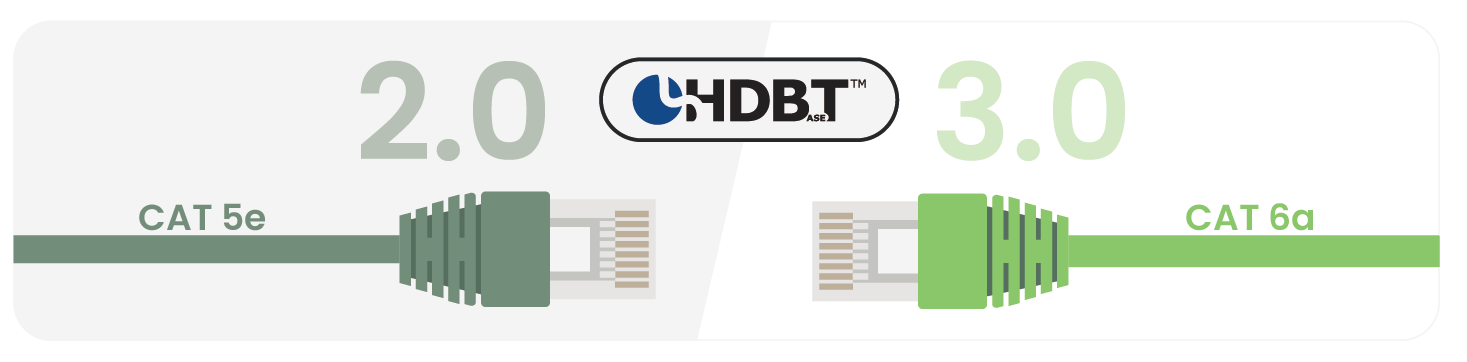
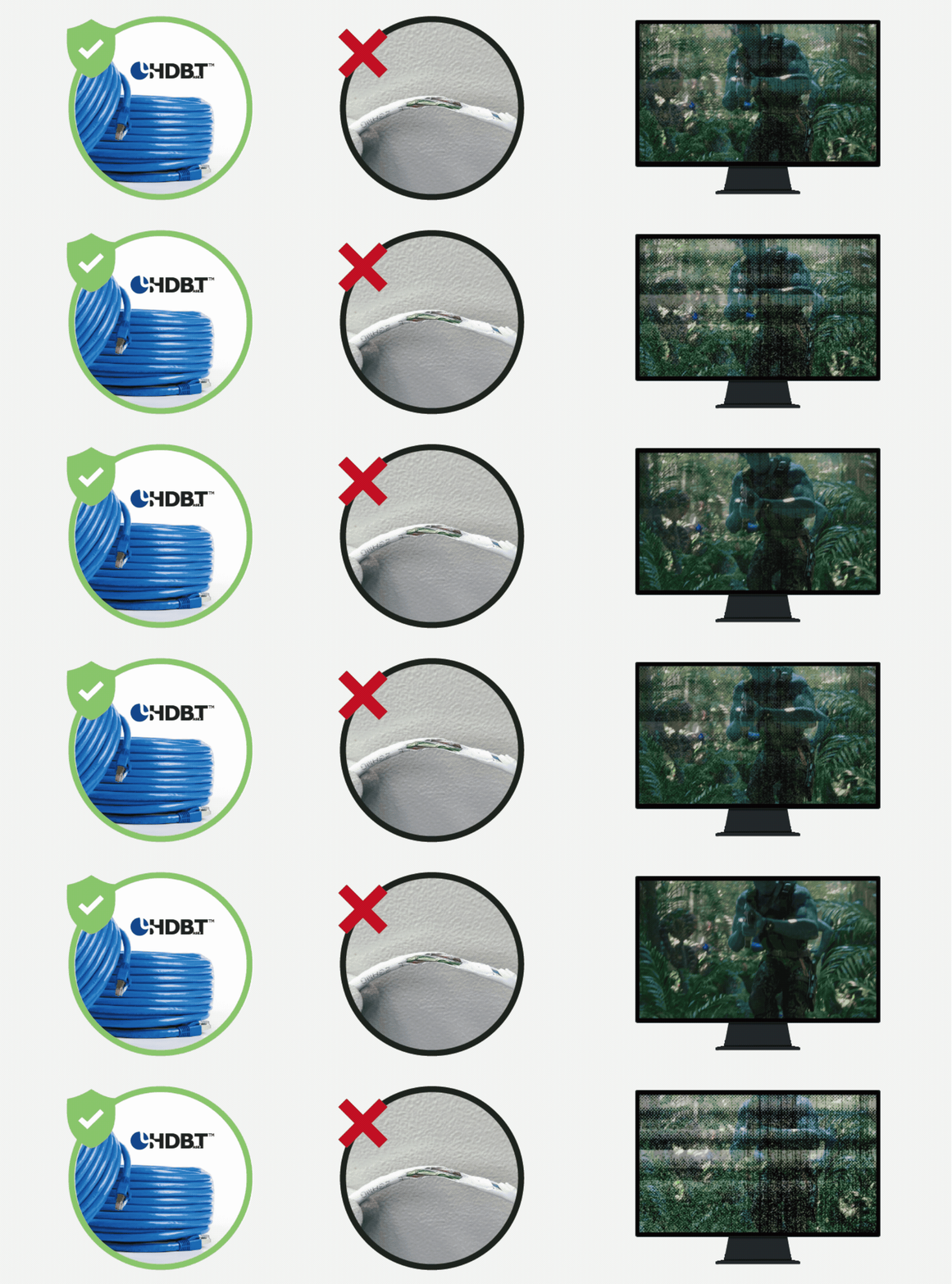
HDBaseT carries uncompressed, zero-latency video and control, so link stability depends heavily on cable quality—especially at 4K60 and longer distances. For best results, use HDBaseT Alliance–recommended / certified cabling (or equivalent high-quality solid-copper installation cable) to help ensure stable transmission over long runs.
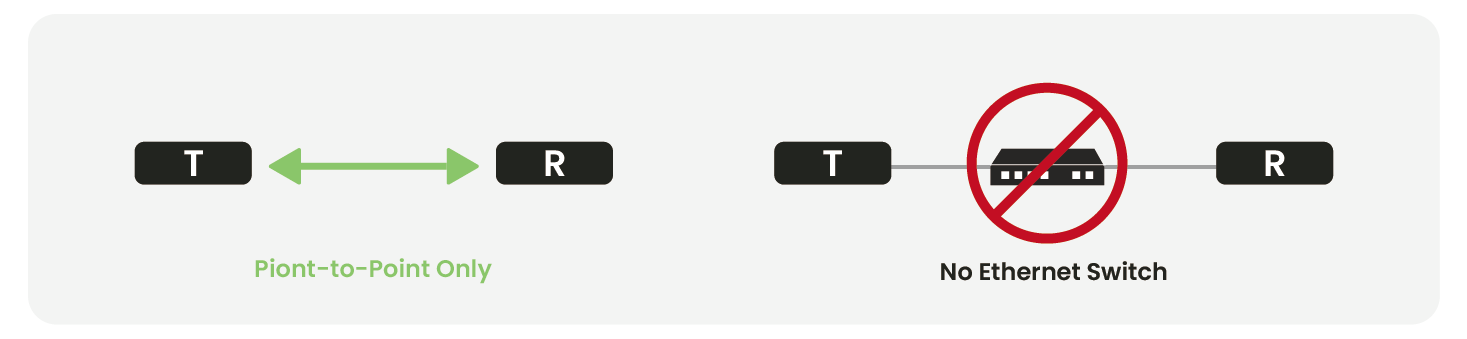
2. HDBaseT Cannot Be Routed Through a Network Switch
HDBaseT does not use TCP/IP.
It uses a 10G physical layer to transport uncompressed video, so it cannot pass through switches, routers, or network distribution devices.
For switching/distribution, use an HDMI matrix or AV-over-IP system.
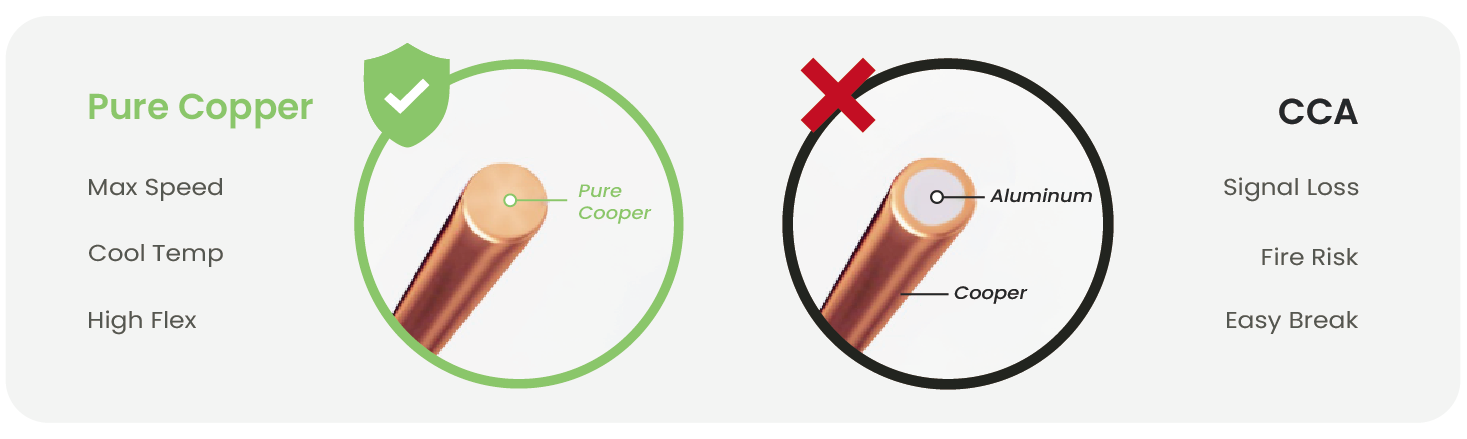
3. Avoid Copper-Clad Aluminum (CCA) Cables and Interference
Non-pure-copper CAT cables introduce:
Higher signal loss
Susceptibility to interference
Unstable 4K transmission
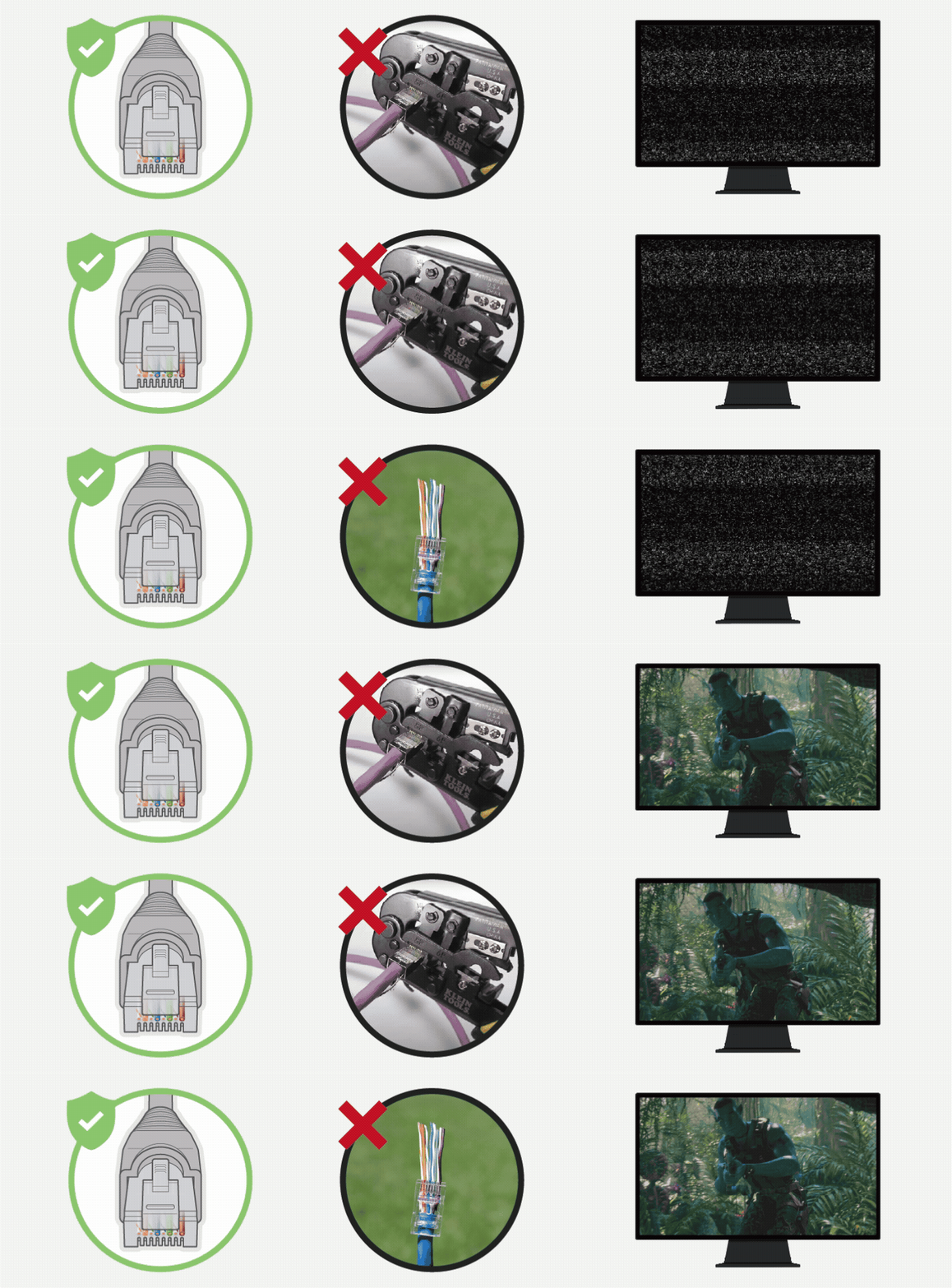
HDBaseT transmits uncompressed, zero-latency audio and video, which requires high bandwidth and is more susceptible to interference, especially when CAT cables are installed in tight conduits or near power lines. This may cause image flicker, black screens, or video noise.
If re-cabling is not possible, consider switching to SC&T’s HE03 Series (1G-based compressed extenders, supporting 1080p, 4K@30Hz, and 4K@60Hz).
Common Issues, Causes & Solutions
HDBaseT problems usually fall into four major categories:
Source devices
Display devices
Transmission devices (TX/RX)
Cables (HDMI / CAT)
Below are the most common real-world cases and how to fix them.
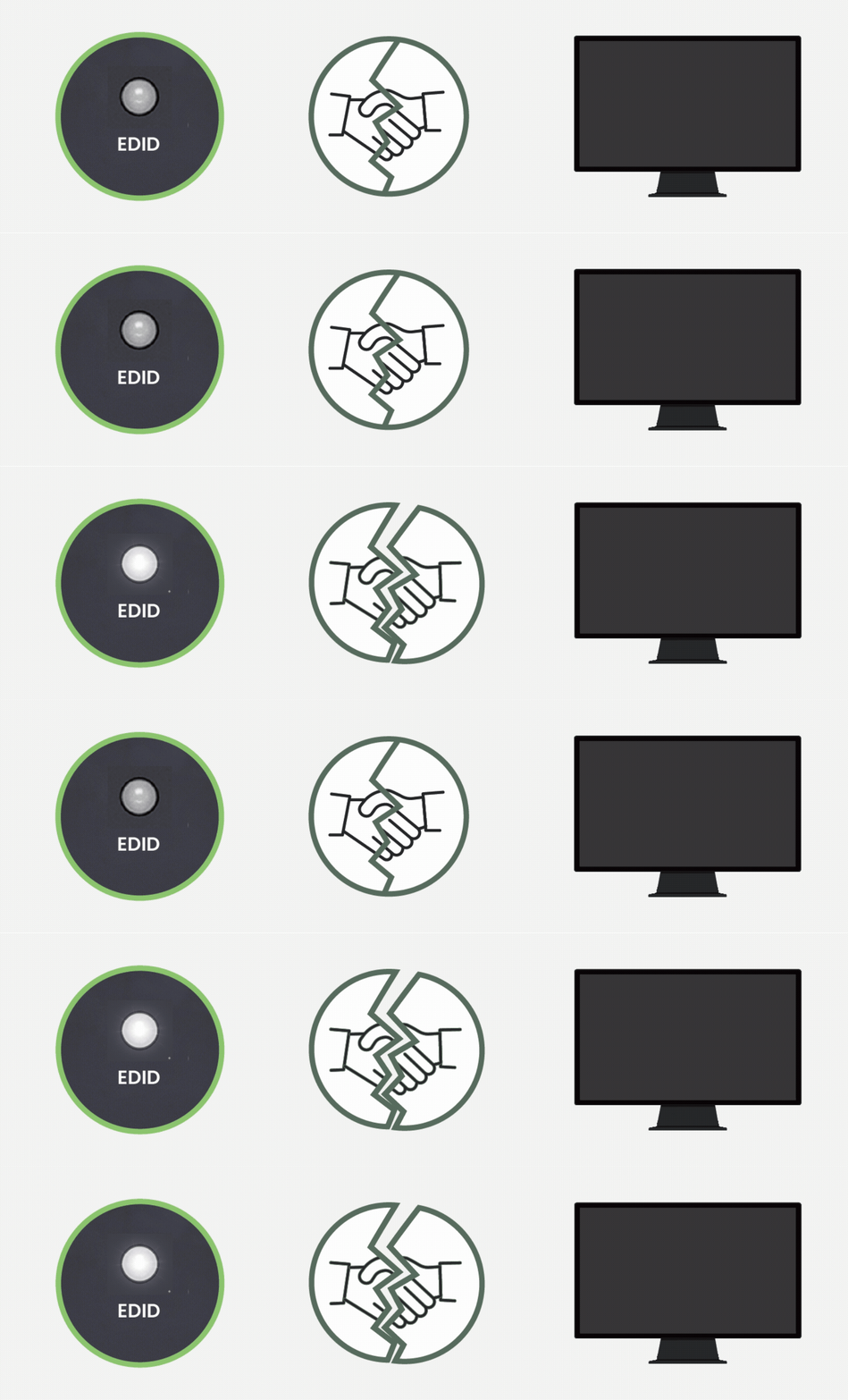
1. EDID Handshake Failure
This issue commonly occurs when an HDBaseT extender shows no signal or a black screen, even though the TX/RX indicators appear normal.
Symptoms
LEDs appear normal, but the screen stays black
Cause
EDID (Extended Display Identification Data) handshake breaks between the source, extender, and display.
Solutions
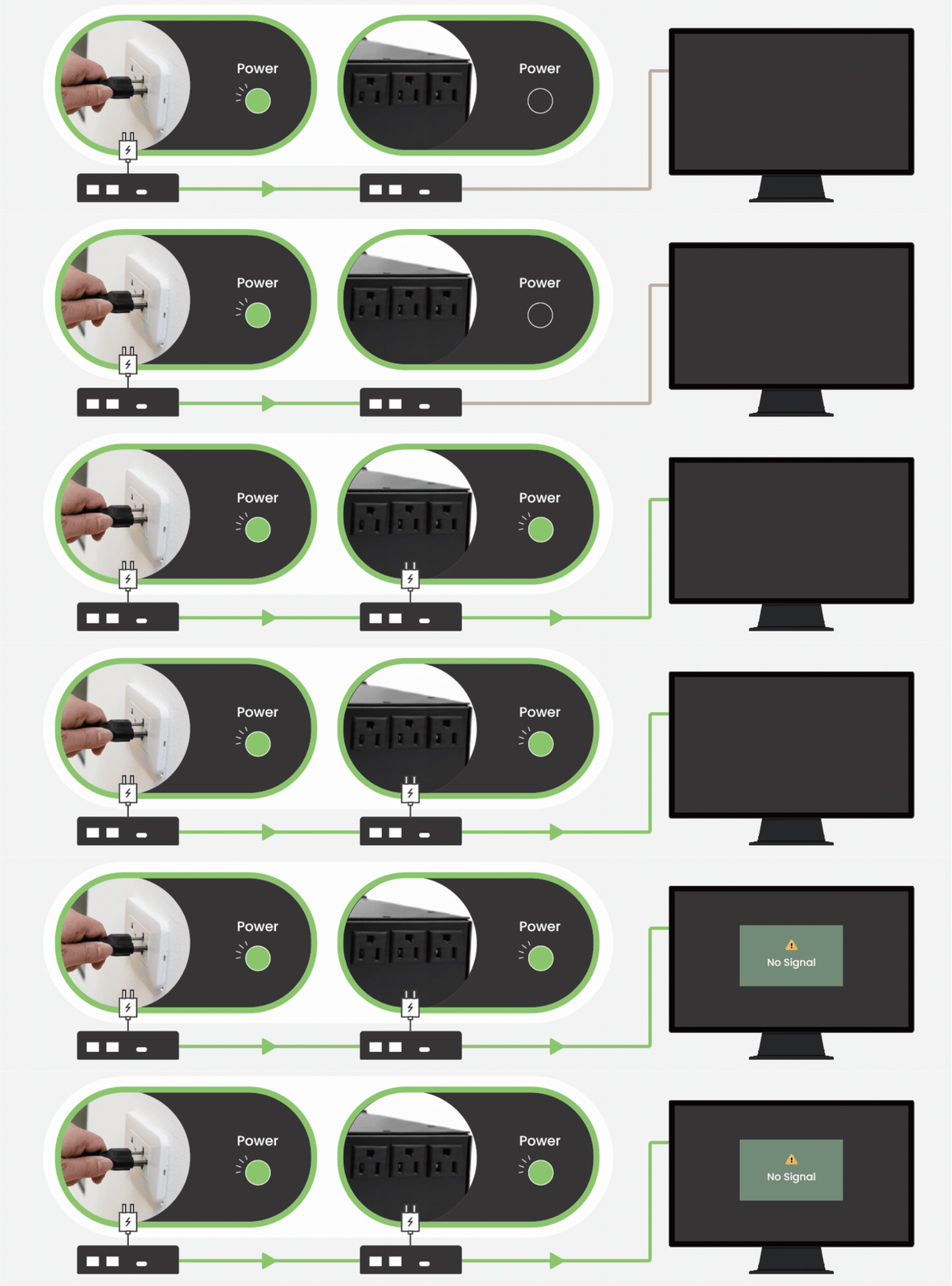
Perform a power cycle in this order: Display → RX → TX → Source
If still unstable, add an EDID emulator to lock the resolution.
Refer to cable vendor’s performance charts for distance ratings.
Lower resolution (e.g., from 4K60 → 4K30).
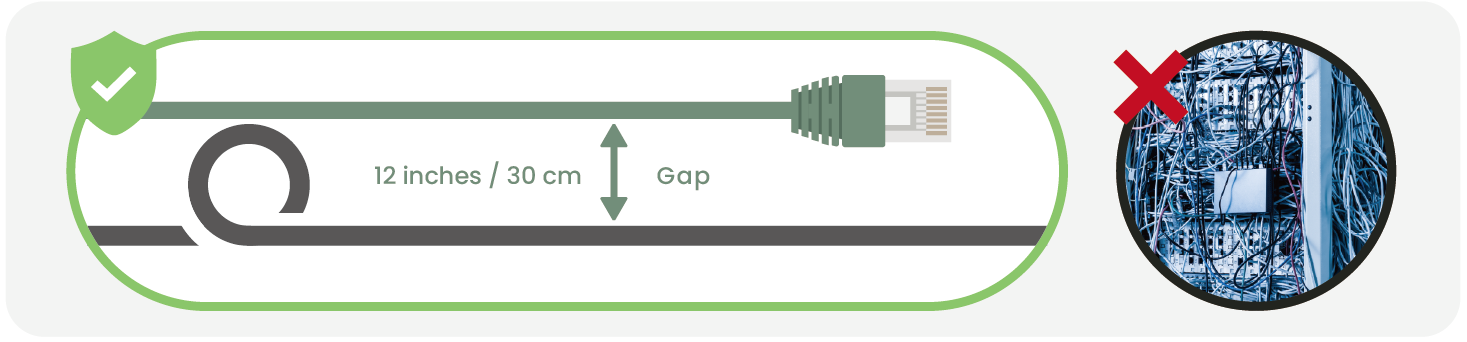
Keep CAT cable 30 cm away from AC power lines.
Use STP cabling for noisy environments.
5. ARC/eARC Configuration Issues
ARC or eARC audio issues over HDBaseT are commonly related to HDMI port assignment, bandwidth sharing, or device compatibility.
Symptoms
No audio from TV apps (Netflix, YouTube)
Only stereo audio; no Dolby Atmos
Audio cuts in/out
Causes
ARC port mismatch (TV ARC often fixed to HDMI 3).
CEC is disabled, preventing ARC initialization.
Cable & bandwidth:
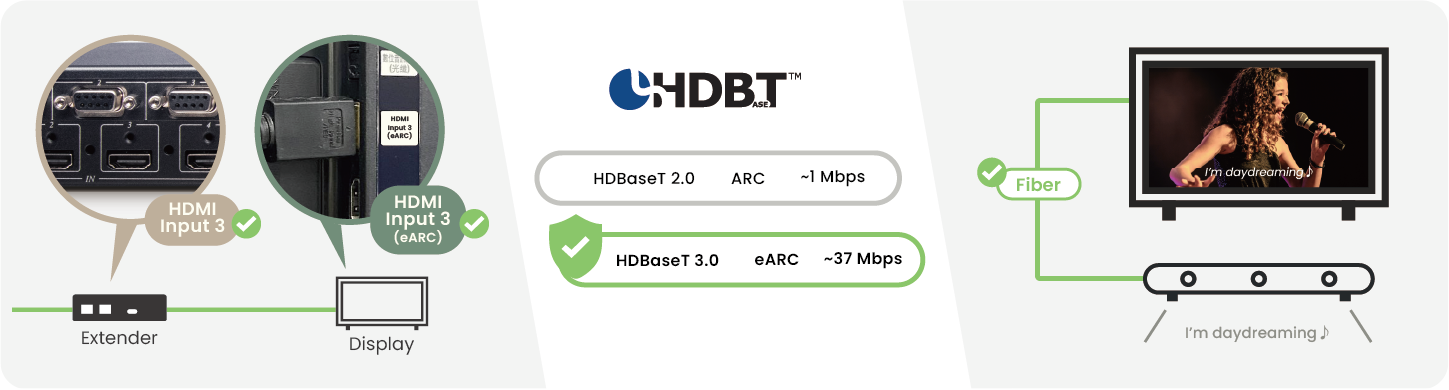
Although ARC requires only about 1 Mbps, it shares the same 100 Mbps Ethernet channel with 4K video; when video bandwidth is saturated, ARC audio packets may be dropped.
Poor-quality UTP cables combined with power-line interference can cause ARC packet errors, preventing the AV receiver from detecting Dolby audio headers and forcing audio to fall back to stereo.
AV receiver incompatible with ARC:
Some older AV receivers only support SPDIF and do not support HDMI ARC, so ARC audio cannot be received even if the TV outputs it correctly.
HDBaseT does not natively define ARC support; ARC/eARC behavior depends on vendor-specific implementations.
Solutions
Enable CEC and select the correct ARC HDMI port on the TV.
Upgrade to HDBaseT 3.0 for eARC support.
Use optical audio return when HDMI ARC is unreliable.
IR control problems typically occur when remote commands do not respond or respond intermittently through an HDBaseT extender.
Symptoms
Delayed response or no response at all
IR LED blinks, but the device does not react
Cause
IR frequency mismatch: Device uses 38kHz, but IR cable only supports 56kHz (or vice versa)
Narrow-band IR cables only support a single frequency.
IR emitter not aligned with the equipment’s IR window.
Solutions
Align IR emitter directly over the IR window (<3 cm).
Use wide-band IR cables (20–60kHz range).
7. PoH (Power over HDBaseT) Voltage Drop
Power issues arise when the HDBaseT receiver fails to power on or requires external power due to voltage drop over long CAT cables.
Symptoms
TX LED on, RX LED off
RX only works with external power
Random shutdowns
Cause
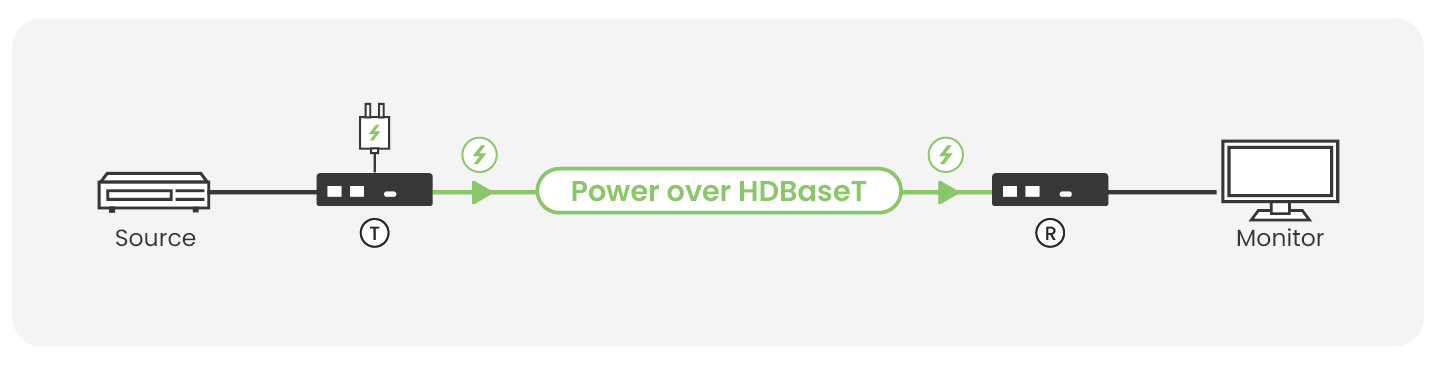
PoH (Power over HDBaseT) delivers power from the TX to the RX over a CAT cable, and the RX then supplies power to the internal chipset; any condition such as poor cable quality, excessive distance, or contaminated connectors can result in voltage drop.
High cable resistance (thin wire or CCA):
Excessive cable resistance caused by thin conductors (AWG 25 or higher) or copper-clad aluminum cables can introduce 15–20 Ω per 100 m, significantly reducing current and leaving only 20 V or even 10 V at the RX.
Long-distance runs:
When cable length exceeds 50 m, the accumulated round-trip resistance can exceed 10 Ω, causing the voltage to drop below 36 V, which is near the RX startup threshold.
Loose termination or cable oxidation:
Cable aging or oxidation, such as corroded terminals or loose connectors, can sharply increase resistance and prevent the RX power indicator from turning on.
Solutions
Verify whether the product supports PoH or PoC power delivery.
Confirm TX output power meets the specified rating.
When the cable length is excessive, use local power at the receiver side.
Replace the cable with AWG 23 pure-copper CAT6a and ensure proper termination.
8. Interference from Adjacent Power Lines
HDBaseT signal instability may occur when CAT cables are routed too close to power lines, causing electromagnetic interference.
Symptoms
Random black screens
Unstable connection
Cause
Network cable running parallel to power cables causes EMI, especially with PoC-enabled extenders.
Solutions
Keep CAT cable at least 30 cm away from power lines.
If re-cabling is not possible, consider switching to a compressed extender (e.g., SC&T HE03 series).
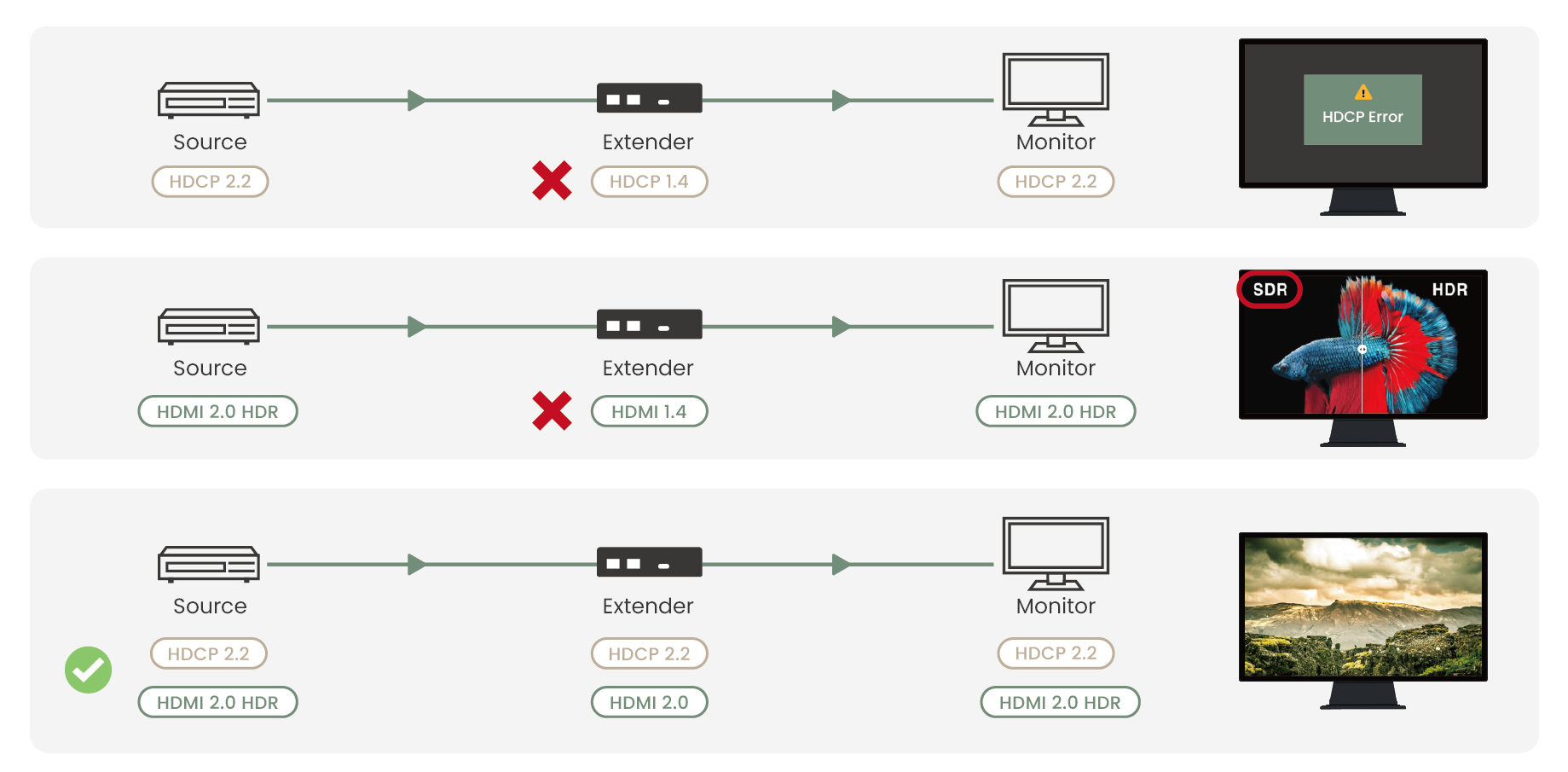
9. HDCP / HDMI Version Incompatibility
HDCP or HDMI compatibility issues often result in a black screen or HDR fallback when devices do not share the same protection standards.
Symptoms
Black screen
HDR downgraded to SDR
“HDCP Error” messages
Long delay before image appears
Cause
HDCP version mismatch between source and display
Some displays are locked to HDCP 2.2, while lower-cost extenders support only HDCP 1.4, causing the HDCP handshake to fail.
HDMI version downgrade caused by extender limitations
HDMI 2.0 HDR source → HDMI 1.4 extender: the system refuses to show the image
Incorrect EDID information returned from the display
Solutions
Verify HDCP version on source, cable, and display.
HDBaseT extenders may stop working after long operation when excessive heat triggers internal thermal protection.
Symptoms
Device shuts down after hours of use
Image drops intermittently
TX/RX casing becomes very hot (>65°C)
LEDs flashing red
Cause
HDBaseT 2.0/3.0 extenders work at high bandwidth and can generate significant heat:
Poor ventilation in racks
Long-time 4K60 operation
Enclosures with limited airflow
Solutions
Add cooling fans or heat sinks.
Improve ventilation in rack environments.
Schedule periodic system reboots.
If You Need Assistance
We hope the HDBaseT troubleshooting tips were helpful. If you still need support, we’re here to help.
SC&T’s FAE team is always ready to help you diagnose HDBaseT issues, optimize your installation, and recommend the right product for your project. You can contact us anytime through our Contact Us page.
Download PDF for Easy Reference
We’ve prepared a reformatted, quick-reference PDF version of this guide, along with a bonus checklist.
Tell us a little about where you use HDBaseT and what other interfaces you work with to access the download.
We’ll use your feedback to improve future guides and develop solutions that better match real-world projects.
Thank you ! Your request has been accepted. We’re looking forward to getting in touch with you. You can expect our response within 3 days. If not, please double check your spam folder.
Oops! Something went wrong while submitting the form.
Thank you ! Your request has been accepted. We’re looking forward to getting in touch with you. You can expect our response within 3 days. If not, please double check your spam folder.
Oops! Something went wrong while submitting the form.
Thank you ! Your request has been accepted. We’re looking forward to getting in touch with you. You can expect our response within 3 days. If not, please double check your spam folder.
Oops! Something went wrong while submitting the form.
Thank you ! Your request has been accepted. We’re looking forward to getting in touch with you. You can expect our response within 3 days. If not, please double check your spam folder.
Oops! Something went wrong while submitting the form.
Cookies Consent
We aim to enhance your experience on our website and would love your help to do so!
By accepting the storage of cookies, you assist us in analyzing website usage and refining our marketing strategies. We use cookies only to enhance your browsing experience and remember your preferences on this site.
You have full control over your cookie settings and can modify them anytime in the Privacy Preference Center. For a comprehensive understanding of how we protect your privacy, please refer to our privacy policy.