

USB Device Not Recognized? Troubleshooting USB Extenders and KVM Systems
A USB device may work normally when connected directly to a computer but stop working after a USB extender or KVM system is added.


If you search for "HDMI Encoder/Decoder" or "Transmitter/Receiver" online, you are often met with an overwhelming deluge of product information. Furthermore, many AVoIP products don't even explicitly use the term "AVoIP" in their product names. For system integrators (SI) and AV professionals, this market fragmentation can make evaluating AVoIP solutions frustratingly difficult.
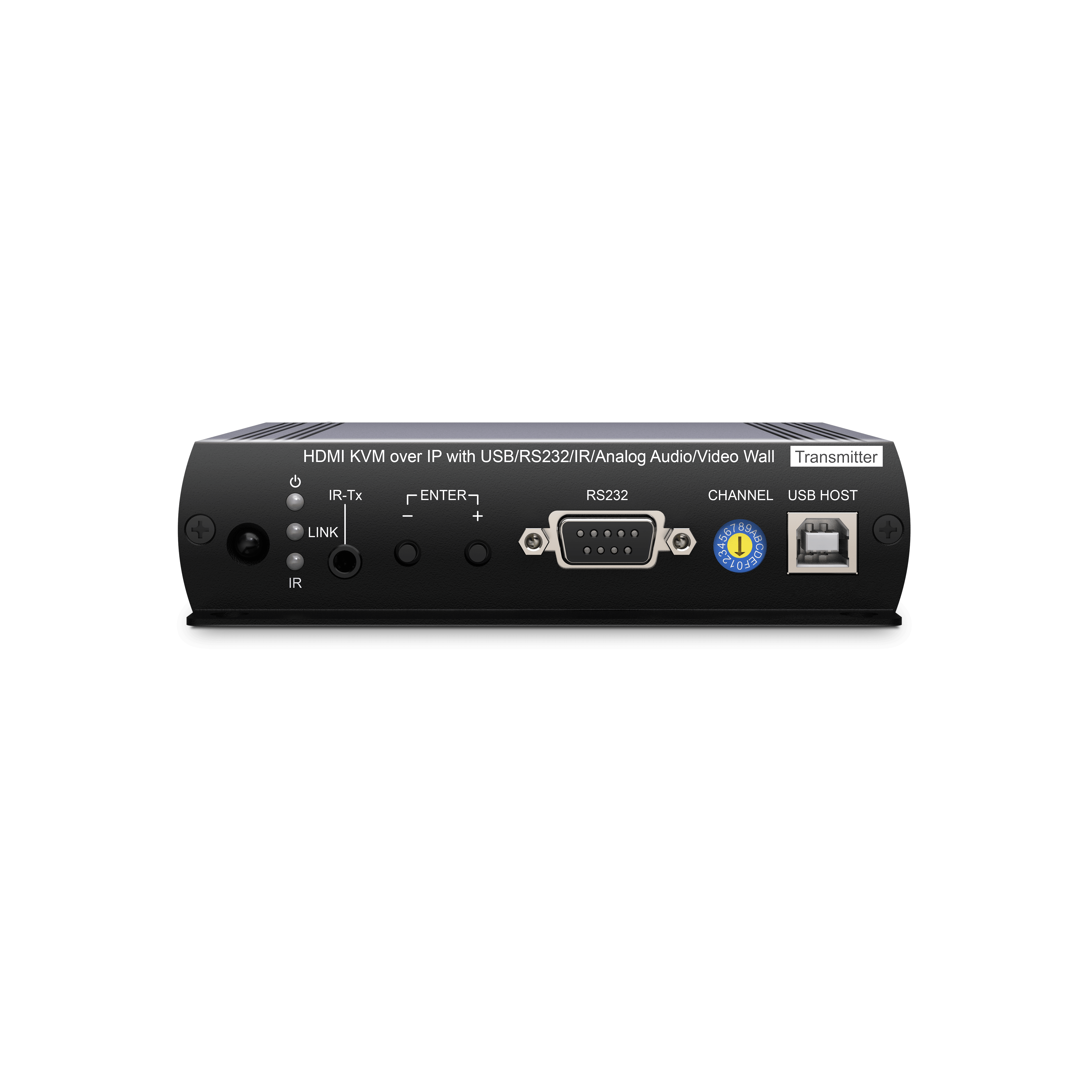
When planning an AVoIP project, you will often find the same device labeled as an "Extender" or an "Encoder/Decoder." While this inconsistency can confuse procurement, these terms simply describe the same hardware from different perspectives:
The Installation View: Describes physical placement. The source device is the Transmitter (Tx), and the display device is the Receiver (Rx).
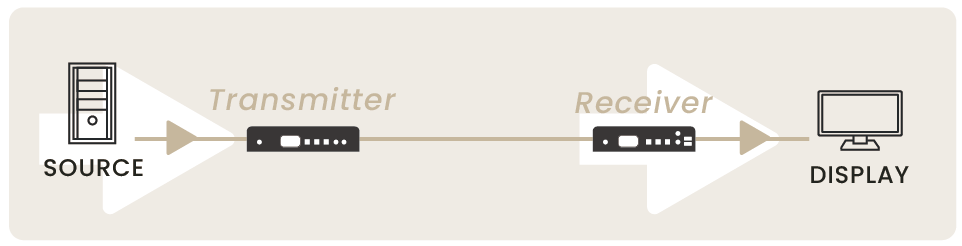
The Technical Core: Describes signal processing. The device encodes raw video into IP packets at the source and decodes them back to video at the destination.

The Bottom Line: Tx/Rx defines the device’s physical position in your signal chain, while Encoder/Decoder defines its technical processing capability.
In short: In modern AVoIP systems, these terms usually refer to the exact same device. Tx/Rx tells you where the device is located in your signal chain (physical position), while Encoder/Decoder describes how the device processes the AV data (technical capability).

Note: Many point-to-point extenders also utilize compression technologies to transmit signals over CatX cabling; as a result, manufacturers may also label them as "Encoders/Decoders."

It’s not just a branding inconsistency; it’s a reflection of AVoIP’s core functionality. While AVoIP systems provide advanced matrix switching, they inherently act as high-performance extenders.
Traditional HDMI cables are limited to 5–10 meters. By converting AV signals into IP packets, AVoIP naturally extends the transmission range to 100 meters per hop over standard Cat6/6a cabling. For field engineers, AVoIP devices are essentially high-performance, long-range transmission solutions that offer the added benefit of matrix routing.
To differentiate between a professional AVoIP matrix system and a basic IP extender, use these two criteria:
Entry-level IP extenders often use proprietary protocols that cannot function on standard managed switches. For matrix switching or third-party control, ensure the datasheet explicitly specifies "Multicast support" or "Managed switch compatible."
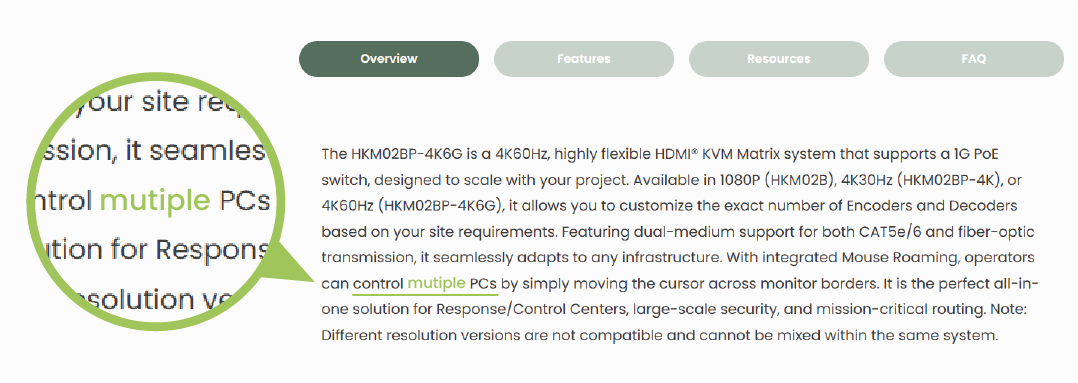
Check the technical requirements.True AVoIP solutions demand specific network configurations, such as IGMP Snooping and Jumbo Frame support. If a device only markets a "100-meter extension" without detailing network requirements, it is likely a point-to-point extender with no matrix capabilities.
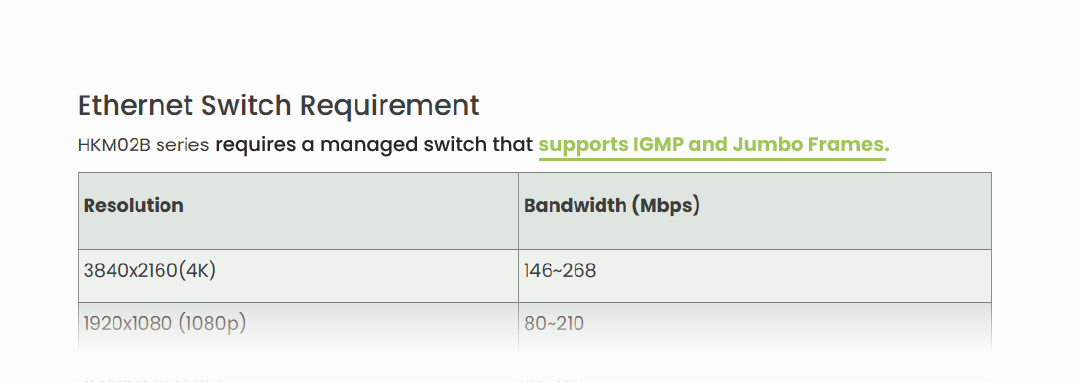

A Transceiver (TRX) is a versatile device that integrates both transmission and reception capabilities. Through configuration, you can toggle a single unit between Encoder (Transmitter) and Decoder (Receiver) modes.
Manufacturers developed TRXs to simplify maintenance, reduce inventory, and enhance project flexibility. Because these units combine both functions, they typically carry a higher price point than single-function transmitters or receivers.
Product naming often reflects a manufacturer's positioning—emphasizing installation ease (Tx/Rx), core technology (Encoder/Decoder), or operational flexibility (Transceiver).

For System Integrators, the name is just a label. True evaluation relies on system architecture. Use these three "Golden Rules" to identify the right AVoIP solution:
1. IP Manageability: Is the device network-addressable for remote configuration?
2. Standard Protocol Support: Does it support open standards like Multicast and IGMP?
3. Control Interface: How are signal routing and system management handled?
By applying these criteria, you can cut through technical ambiguity and confidently design highly scalable, stable professional AV systems.
Copyright © SC&T. All rights reserved. No part of this website may be reproduced or distributed without prior written permission.
A USB device may work normally when connected directly to a computer but stop working after a USB extender or KVM system is added.
AV requirements in a medical simulation center go beyond recording a training session. In addition to room camera feeds and audio, a session may require recording patient vital signs, ultrasound images, or displays from other equipment. Some content may need to be sent to a control room or observation area for live viewing and later used during debriefing.
PoE, PoE+, and PoE++ all carry network data and DC power over an Ethernet cable. The main difference is the amount of power they can deliver. Basic PoE works for many low-power devices, such as IP phones and some PoE IP cameras. PoE+ provides more power and is commonly used for PTZ cameras and wireless access points. PoE++ uses IEEE 802.3bt Type 3 or Type 4 to power network devices with higher power requirements.

1. All specifications are subject to change without notice.
2. Brand and product names mentioned are trademarks of their respective companies.
3. The terms HDMI, HDMI High-Definition Multimedia Interface, HDMI Trade dress and the HDMI Logos are trademarks or registered trademarks of HDMI Licensing Administrator, Inc.


